
Audi Q3: Battery Test with Vehicle Diagnostic Tester
The Battery -A- can also be checked using the Vehicle Diagnostic Tester when it is installed and without being connected to a battery charger.
Special tools and workshop equipment required
- Vehicle Diagnostic Tester
Test Prerequisites
- No battery charger connected
- Battery -A- is connected.
- Battery temperature at least +10 ºC (50 ºF).
Procedure
Vehicle Diagnostic Tester is attached.
- Select the Diagnostic mode and start the diagnostics.
- Select the tab Test Plan.
- Select Select Individual Tests and choose the following sequence.
- Body
- Electrical Equipment
- 27 - Starter, voltage supply
- Electrical Components
- A - Battery, Checking
The Vehicle Diagnostic Tester continues with the battery test from here on.
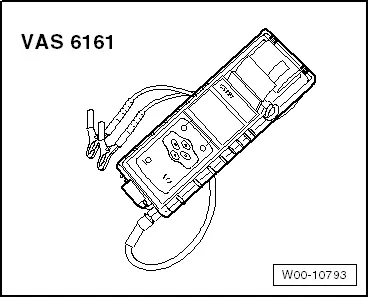
Battery Tester -VAS6161-
General Description:
 WARNING
Risk of injury. Follow all warning messages and safety precautions. Refer to → Chapter "Warnings and Safety Precautions".
It is not necessary to disconnect or remove the Battery -A- when using the Battery Tester -VAS6161-.
The Battery Tester -VAS6161- does not load the Battery -A-. It is working according to the principle of dynamic conductivity.
The Battery Tester -VAS6161- stores all battery types.
The data can be stored on an SD memory card.
The Battery Tester -VAS6161- can be updated via an interface or a SD card, so that all battery data from Volkswagen is always current.
The integrated infrared sensor (measuring the battery temperature) increases the quality of the measurements.
As an option, there is a scanner available, which can be used to read the bar code on the Battery -A-.
 Note
Note
Observe the Battery Tester -VAS6161- Operating Instructions.
- Battery Tester -VAS6161- device description. Refer to → Chapter "Battery Tester -VAS6161- Device Description".
- Battery test. Refer to → Chapter "Battery Test, Performing using Battery Tester -VAS6161-".
- Maintenance test, performing. Refer to → Chapter "Maintenance Test, Performing".
- Service test, performing. Refer to → Chapter "Service Test, Performing".
- Warranty test, performing. Refer to → Chapter "Warranty Test, Performing".
- Printed test results explanations. Refer to → Chapter "Explanation of Test Results".
- Test result evaluation. Refer to → Chapter "Test Result Evaluation".
READ NEXT:
 Battery Tester -VAS6161- Device Description
Battery Tester -VAS6161-
1 - Internal printer
2 - Operating lever for the paper tray
3 - Paper slot
4 - Main menu display
5 - Display with on/off
Battery Tester with Printer -VAS5097A- Device Description
Battery Tester with Printer -VAS5097A-
1 - LED green, "Device in use"
2 - LED red, "Device connected with terminals reversed"
3 - LED red "Battery cannot be tested", t
Current Draw Test
WARNING
Do not check or charge a Battery -A- when the visual
indicator has "no color or is
bright yellow". Jump starting must not be used!
There is a risk of explosion during testing, SEE MORE:
Privacy notice
You can find information about responsibility for
data protection in the MMI.
Applies to: MMI: Select on the home screen: SETTINGS
> General > Legal notes > About Audi
connect.
Image recording
Surrounding area monitoring
Applies to: vehicles with surrounding area monitoring
Some vehicle fu
Inner Window Shaft Strip, Removing and Installing
Removing
- Remove the rear window frame trim panel. Refer to
→ Body Interior; Rep. Gr.70; Rear Door Trim Panels; Window Frame
Trim Panel, Removing and Installing.
- Remove the window shaft strip -1-
upward -arrows-.
Installing
Install in reverse order of removal